
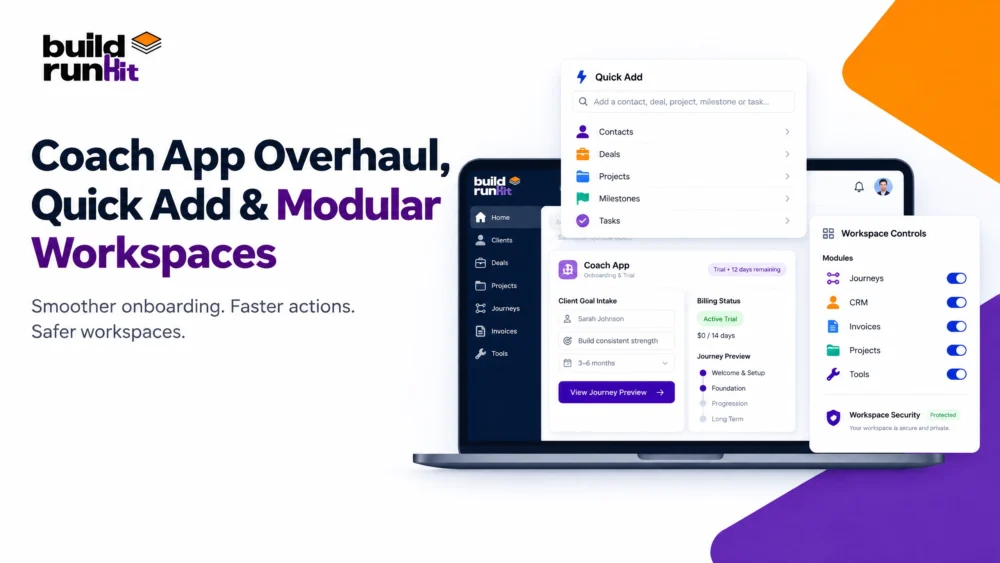
Managing client onboarding, workspace controls, and routine tasks across disconnected tools creates unnecessary overhead. Because of these operational friction points, founders and coaches require an integrated, highly responsive platform to maintain momentum.
This week, we executed significant platform upgrades across the Coach App, core UI components, and global workspace security. Consequently, these additions ensure your daily operations run smoother, safer, and faster.
New Features Live Across the Platform
1. Coach App: Onboarding, Trials, and Journey Management
First, we completely overhauled client onboarding to replace legacy inactive banners with an end-to-end flow featuring automatic coach notifications, intake goals, and a dedicated onboarding manager.
Additionally, we deployed a strict 10-day trial account engine with visible status badges for clear activation windows. As a result, coaches gain complete transparency into client statuses through unified billing indicators and direct journey preview controls.
Furthermore, we established strict guardrails for inactive accounts. Therefore, inactive clients remain strictly read-only within active journeys, preventing accidental edits or unassigned communications. Done and Done
2. BuildRunKit: Modular Architecture & Quick Add Workflow
Next, we engineered flexible modular switches, giving you full control to toggle core features on or off at both workspace and application levels.
Moreover, we deployed a global command-based Quick Add palette across desktop and mobile views. Consequently, you can instantly create contacts, deals, tasks, and projects from any route using minimal form fields.
In addition, we updated system dropdowns with popover components that feature live searching and alphabetical sorting. Thus, navigating large client datasets remains fast and effortless. Done and Done
3. Platform Security & Data Integrity
Finally, we patched critical routing logic by introducing a strict Workspace Access Guard to prevent cross-tenant loading errors.
Because data accuracy is critical, we fixed webform company linking, custom field deal assignments, and dashboard card text wrapping. Ultimately, your environment stays secure and visually clean across every device. Done and Done
Actionable Strategies for Execution
Advanced Tips for Lean Teams
Use these three strategies to extract maximum utility from this week's release:
- Leverage Global Quick Add: First, trigger the palette from any route to log new activities, contacts, or tasks without interrupting your current workflow.
- Customize Modular Workspaces: Next, toggle off unused modules in your settings to clean up sidebars for your team.
- Monitor Trial Windows: Finally, use the new billing status indicators to manage active client access before trial periods expire.