
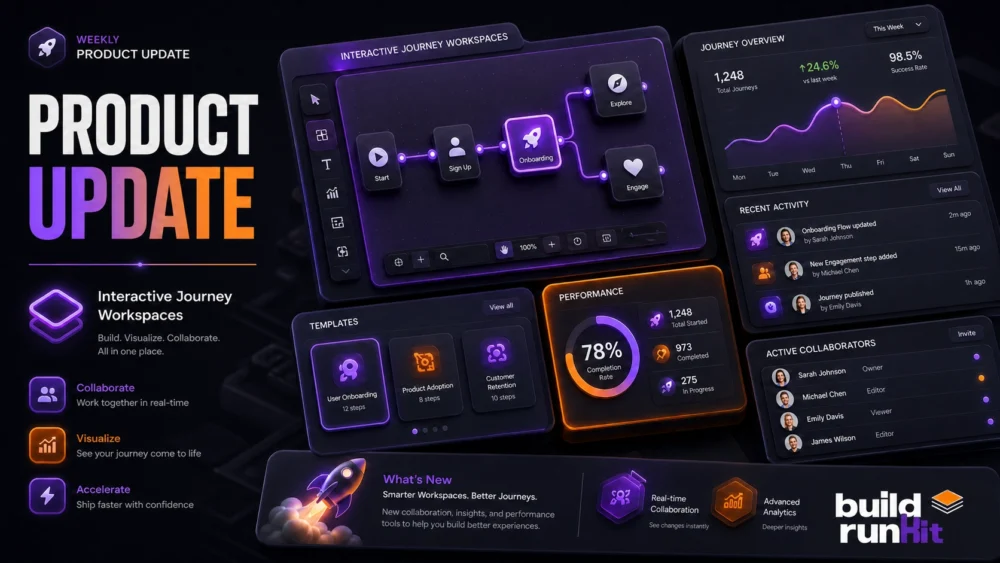
We are excited to share our latest Interactive Journey Engine. We are turning custom journey stages into active workspaces. Now, your clients can document progress and save outcomes directly inside your workspace.
Managing client growth requires a reliable business coach toolkit software. Using a unified business coach toolkit app keeps your team focused on client results without back-and-forth emails.
This week, we rolled out major platform updates. We added high-utility features to keep our ecosystem a top-tier business coach toolkit management tool for fast-moving startups.
Here is what went live in our business coach toolkit dashboard this week:
1. Interactive Journey Workspaces
Static stages are now active workspaces. To keep client progress aligned, we introduced dedicated title and rich text input areas directly inside custom stages.
- Interactive Journey Outcomes: Clients can document progress, complete action items, and store outcomes directly in custom stages or substages. Inputs remain editable and accessible at any time.
- Journey Builder Upgrades: The plans builder now handles custom and template journeys smoothly, with cleaner UI layouts for long journey titles.
2. Business Coach Kit Architecture & UX
Our updated notification engine and contact controls give advisors complete visibility. You can manage messaging and client sync faster without missing updates.
- Universal Notification Sync: Read states sync instantly across the entire ecosystem. Marking an alert read in BuildRunKit updates it across the Coach App automatically.
- In-App Notification Center: Deployed a native Notification Center inside the Coach App alongside automated email alerts for new package assignments and messages.
- Comprehensive Contact Profiles: Coaches can list full details (address, multiple phones, socials, and email) in a dedicated profile view for clients.
- UI Decluttering & Polish: Added expandable indicators for multiple packages in the Activities view, implemented skeleton loaders, and updated missing translations.
Advanced Team Tips for Founders
Structure your workspace around these three lean principles to get maximum value from these updates:
- Leverage Interactive Workspaces: Direct clients to complete outcomes inside their assigned journey stages to keep historical records central and avoid lost emails.
- Utilize Universal Notifications: Monitor notifications across the platform in real time so client questions get answered instantly.
- Streamline Support with Complete Profiles: Ensure your contact details are fully updated so clients can easily find your preferred communication channels.
Performance, Marketing & Infrastructure
We also executed a sweep of technical upgrades across the platform. These fixes boost database handling, board stability, and speed:
- Simple Notes Speed Redesign: Optimized data fetching logic to slash board load times from 10 seconds down to 3 seconds, alongside minimalist note thumbnails.
- Optimistic Interactions: Board title edits in Simple Notes now update instantly on the screen for a smooth, native feel.
- Task Component Overhaul: Redesigned Task Create and Edit components across the Goldilocks ecosystem for cleaner workflow management.
- Mentor Alliance Pipeline: Deployed a streamlined application pipeline and refreshed landing page for aspiring coaches joining the Mentor Alliance.